What Is a Good MVP for a Workflow Automation Product?
A good minimum viable product (MVP) for a workflow automation product is not a tiny version of a sprawling platform. It is the smallest dependable solution that takes one painful, recurring process from start to finish—and proves that people will use it, trust it, and pay for it.
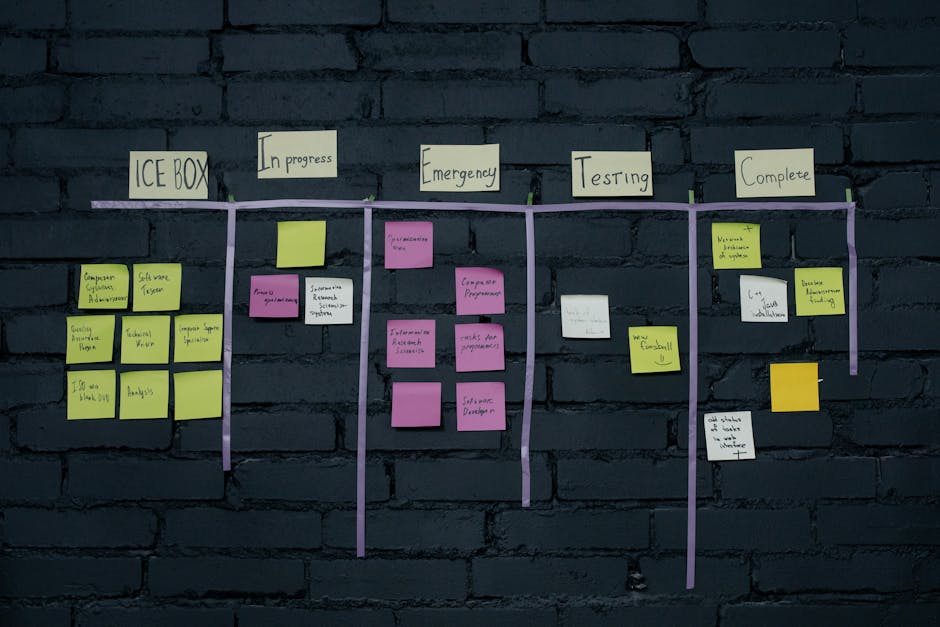
That distinction matters. Teams often begin with a familiar list of frustrations: requests arrive by email, details get copied into spreadsheets, invoices go out late, and someone has to chase approvals by hand. The temptation is to build a tool that solves all of it. But the first version that can make a business is usually narrower: one user, one high-value workflow, a clear starting point, and a measurable outcome.
After years of improving operations inside service businesses, I’ve seen how small handoffs quietly consume margin. I’ve also seen founders mistake a long feature list for a compelling MVP. The strongest workflow products start with frustration, resist tool sprawl, and offer relief from a specific operational bottleneck. Here’s how to define one.
Frustration Is Often the Seed of a Durable Business
Many durable workflow products begin with a moment that seems too ordinary to matter. A client asks for an update, but nobody knows who owns it. A team member searches through email for the latest brief. An invoice is delayed because the project status never made it to finance.
These are not necessarily dramatic failures. They are repeated, expensive annoyances. Their cost may show up as a late payment, an avoidable correction, a frustrated customer, or an employee spending Friday afternoon reconciling information between systems. When the same problem appears every week, it becomes a business opportunity.
The key is to separate genuine pain from general irritation. Ask:
- How often does the problem occur?
- Who has to deal with it, and how much time does it take?
- What happens if nobody catches the issue?
- What workaround does the team use today?
- Is there a budget owner who would pay to make this more reliable?
Strong answers point to a workflow with real stakes. “We want fewer apps” is a preference. “We lose billable hours because approved work never makes it onto an invoice” is a problem with a cost, an owner, and a potential return on investment.
That’s why personal frustration can be such a useful starting client onboarding point: you may understand the awkward details others overlook. But it is only a starting point. Before building, confirm that the frustration is shared by other teams and that they are motivated to change their behavior to solve it.
Tool Sprawl Is Usually a Symptom, Not the Product Idea
Small and midsize teams rarely choose tool sprawl as a strategy. It accumulates. A new client intake form lands in one application; project tracking lives in another; approvals happen in email; invoices are generated somewhere else. Each tool may make sense on its own, but the connections between them often rely on people remembering what to copy, where to paste it, and whom to notify.
This patchwork can create several kinds of friction:
- Repeated data entry: Names, project details, and amounts are typed into multiple systems.
- Unclear ownership: A handoff happens, but no one is explicitly responsible for the next step.
- Hidden status: Updates live in inboxes or chat threads rather than in a shared, current view.
- Fragile exceptions: The process works until a client changes scope, a payment is late, or an approver is unavailable.
A workflow product should not set out to replace every tool in this patchwork. A broad promise like “one platform for all your operations” can sound appealing, but it creates a difficult MVP scope: numerous integrations, complex permissions, migration work, and competing user needs.
Instead, look for the handoff that creates the most avoidable effort. Perhaps an approved project must trigger an email to the delivery team. Perhaps a completed milestone should create an invoice draft. Perhaps a client’s email approval needs to become a visible, auditable status. Your first product can connect a few existing tools around that handoff rather than trying to become every tool at once.
Agency Operations Reveal High-Value Workflows
Agencies and productized service teams feel workflow friction particularly sharply. They sell defined services, but client work still contains variations: missing assets, late approvals, changing requirements, and exceptions to the standard package. At the same time, margins depend on delivering consistently without adding people for every increase in volume.
Consider a simple agency workflow. A client accepts a proposal, provides onboarding information, receives a kickoff email, moves through delivery milestones, approves the work, and gets an invoice. On paper, this looks linear. In practice, the information may pass through email, a form, a project board, a shared drive, and accounting software. The team supplies the connective tissue.
A focused workflow product could automate one part of that chain. For example, it might:
- Recognize when a project has been marked complete.
- Check that required billing details are present.
- Create a draft invoice in the existing finance tool.
- Send an approval email to the account owner.
- Record the invoice status where the operations team can see it.
That is more useful than a generic “automate your business” promise because it addresses a specific operational outcome. It also fits how service teams actually buy: they want fewer missed steps and less admin work, not a new system that forces them to redesign the whole business before they see a benefit.
Productized services make this even more important. Their delivery model relies on repeatable packages, but the process around those packages may still be held together by manual checks. A good workflow product protects the repeatable core while making exceptions visible. It does not pretend that every client behaves identically.
AI Has Inflated Expectations—But the Workflow Still Has to Work
AI has raised expectations for software. Customers now ask whether a product can read an email, understand a request, classify it, draft a response, and update the right system. Some of those capabilities can make a workflow product dramatically more useful.
But AI can also encourage founders to start with the most impressive demo rather than the most reliable outcome. A system that writes a polished email but forgets to create the invoice is not a successful workflow. For operational software, trust often matters more than spectacle.
In an MVP, use AI where it reduces uncertainty or manual effort without making critical actions hard to verify. For example, AI might extract a client name or due date from an email and suggest values for a human to approve. It could summarize a request and route it to the right queue. Early on, it may be unwise to let an uncertain interpretation send a sensitive message or issue a final invoice without review.
A practical design principle is to distinguish between suggesting and committing. AI can suggest a category, draft an email, or flag a missing detail. The product can require human confirmation before sending the email, changing a project status, or generating an invoice. As usage data builds and the workflow proves reliable, you can decide which actions are safe to automate fully.
AI should improve the core workflow, not serve as a substitute for defining it. If nobody knows what should happen after a client approval arrives, adding an AI agent will not resolve the ownership problem. First make the process legible. Then decide where intelligence adds value.
Define MVP Scope Around One End-to-End Job
The most useful way to set MVP scope is to describe the job a user wants done, from trigger to outcome. Avoid starting with screens, integrations, or a list of technologies. Write the workflow in plain language:
When a project is approved, create a complete invoice draft, notify the responsible person, and make the status visible—without re-entering project details.
That description gives the team a boundary. Anything necessary to complete and trust that job belongs in the first version. Anything unrelated can wait.
Include in the MVP Usually defer One clearly defined trigger and outcome A library of unrelated automations A small number of essential integrations Connecting to every tool a prospect mentions Visible status, error handling, and a way to retry Advanced analytics before usage is established Human approval for risky or uncertain actions Full autonomy for every AI-driven decision A clear setup path for one target customer type Complex customization for every possible team“Small” should not mean unreliable. If the workflow touches invoices, the MVP should make it obvious whether an invoice was drafted, sent, or blocked. If it sends email, users should know what message went out and when. A narrow product still needs the basics that protect trust: permissions, clear confirmations, useful error messages, and a recovery path.
Choose Beta Users for Learning, Not Compliments
Beta users are partners in testing the assumptions behind your product. They are not just people who will politely click through a prototype. Look for teams that experience the target workflow regularly, already have a workaround, and can give you access to the people who do the work.
For a workflow product aimed at agencies, a useful first cohort might include a handful of teams with a similar service model and billing process. A single large company with a highly unusual approval chain can produce plenty of requests, but it may pull the product away from a repeatable market. A group of similar, engaged teams is often better for identifying what must be standard and what is genuinely an edge case.
Before the beta, agree on what you are testing. Track outcomes such as:
- How many times the target workflow is completed during the test.
- How much manual time it saves compared with the existing process.
- How many runs need human correction or intervention.
- Whether users can understand and recover from failures.
- Whether the team would keep using the product—and pay for it.
Observe behavior as well as opinions. A user may say that an automation is valuable but continue to manage the process in email because the product is hard to configure. Another may ask for a feature, while consistently relying on one basic capability. Usage, repeated workarounds, and willingness to commit are stronger evidence than praise alone.
Measure Relief, Not the Number of Features
A workflow product can look busy and still fail to remove meaningful work. The better question is whether the product makes an important process faster, safer, or more predictable.
Set a baseline before the beta. How long does the current process take? How often are details re-entered? How many invoices are delayed because the information arrives late? How often does someone have to ask, “Did that email go out?” Then compare those results with actual product use.
For an MVP focused on invoice preparation, for instance, the goal may not be to eliminate every human step. It might be to reduce the time required to prepare a correct invoice, prevent missing project details, and make approval status easy to see. If those outcomes are repeatable, you have a credible foundation for expansion.
A Simple Test for a Good Workflow Product MVP
A strong MVP has a narrow promise and delivers it reliably for a specific kind of customer. It addresses a frequent, costly handoff; works with the tools the customer already uses; and shows what happened when the automation succeeds or fails. AI can be part of the solution, but it does not excuse an unclear process or an untrustworthy result.
Before building the next feature, ask:

- Is this part of the one workflow we promised to improve?
- Will it remove a recurring burden or prevent a meaningful mistake?
- Can beta users prove its value through repeated use?
- Can the product explain and recover from what goes wrong?
If the answer is no, the feature may belong later. A good MVP does not solve every operational headache. It makes one frustrating, expensive process noticeably better—and gives the team a reason to trust the next step.